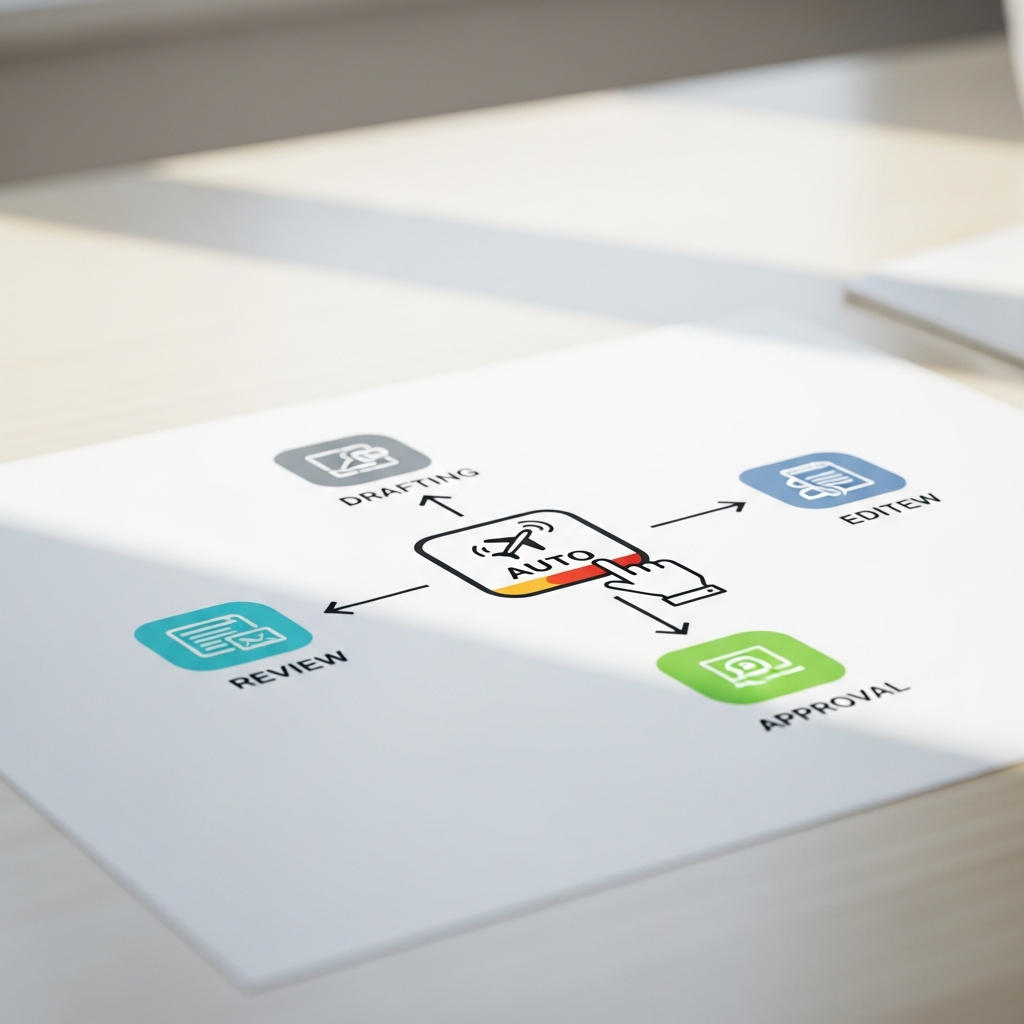
Post Approval Workflow: Approve Until You Trust Autopilot
TL;DR
AutoMarketer AI lets you review and approve every post first, then unlock autopilot once you have approved a streak and trust the drafts.
- Read, edit, approve, or reject each AI draft before it publishes to Facebook, Instagram, or X.
- After approving a streak of posts, you can switch on autopilot to let drafts publish on their own.
- You always control which AI writes your content, which AI generates images, your email provider, and post timing.
Why Approval Comes First
A post approval workflow takes time to trust. That is true with people, and it is true with software. You would not hand a brand-new employee the keys to your brand voice on day one, and the same logic applies here. Ultimately, you should never hand over your voice to a tool you barely know.
That is why AutoMarketer AI puts a post approval workflow at the center of everything. You review and approve every post before it goes out. You stay in the driver’s seat from day one. Nothing publishes to Facebook, Instagram, or X without your nod, so there are no surprises waiting in your feed.
This approach protects your brand. You see exactly what the AI wrote, word for word, before anyone else does. As a result, you catch anything that feels off before a single follower does. A phrase that misses your tone, a detail that needs tweaking, a claim you would rather soften – you spot it and fix it in the draft stage.
A post approval workflow is not a hurdle. It is a feature. It gives you a calm, deliberate checkpoint where you stay in command. Furthermore, it builds the confidence you need before you ever consider social media autopilot. Trust earned this way is far steadier than trust handed over blindly.
Build that trust gradually by reviewing and approving each AI-written post, then switch to autopilot once you have approved a streak you are happy with.
Learn more →How the Review Step Works
The AI writes posts in your business’s voice. It drafts content for Facebook, Instagram, and X. Then it waits for you. No draft moves forward on its own until you have looked at it.
You open your dashboard and read each draft. You can edit, approve, or reject. The choice is always yours. If a sentence runs long or a word feels wrong, you adjust it on the spot. If a draft does not fit at all, you reject it and move on. There is no pressure to publish anything you are not happy with.
Every approved post gets scheduled to a date and time you pick. Alternatively, you can let the tool pick a strong time for that channel automatically. That happens quietly in the background, starting from proven industry-standard times and adjusting based on how your own audience actually engages. You do not have to manage it.
This rhythm is simple. Read, approve, schedule, repeat. The post approval workflow becomes second nature, and over a few weeks, you learn what the AI does well. You start to recognize the kinds of posts it nails immediately and the kinds that need a light touch.
You also learn where your voice matters most. Maybe it is the way you talk about your products, or the specific phrases your customers know you for. That knowledge makes the next step easier, because you will know exactly what to watch for.
Building Trust Post by Post
Trust is not a switch. It grows one approval at a time. In fact, the more posts you move through the post approval workflow, the more you see the pattern. Each draft is a small data point about how well the AI understands your business.
Maybe the AI nails your tone right away. Maybe it needs a small tweak here and there. Either way, you are learning, and so is your sense of when a draft is ready to go.
Pay attention to how often you edit. If your edits shrink each week, that is a good sign. The AI is matching your voice. A practical habit is to notice whether you are rewriting whole sentences or just nudging a word or two. When the heavy edits fade and the small ones take over, you know the drafts are landing closer to the mark.
Furthermore, watch how your posts perform too. Likes, comments, and reach tell a story. They show you what your audience responds to. A post that sparks comments tells you what topics and angles to lean into next time you review a draft.
Ultimately, this steady post approval workflow builds real confidence. Soon you will trust the drafts before you even read them closely, because you have seen the AI deliver again and again.
When You Are Ready for Social Media Autopilot
Once you have approved a streak of posts, a new option opens up. As a result, you can switch to social media autopilot. The drafts then publish on their own.
This is not a blind leap. You earned it through the post approval workflow by approving real posts first. The tool only offers it after you build that streak, so the switch always reflects genuine experience rather than guesswork.
Social media autopilot frees up your time. You stop checking every draft. Meanwhile, the content keeps flowing while you work on serving customers, running your shop, or anything else that needs you.
You can still step back into the post approval workflow whenever you want. Autopilot is a choice, not a one-way door. Your control never disappears. If a busy season or a sensitive moment calls for a closer eye, you simply return to reviewing each post.
This is the heart of how AutoMarketer AI works. Approve until you trust, then let social media autopilot carry the load.
What Stays in Your Hands
Even on social media autopilot, you make the big choices. For example, you choose which AI writes your content. You choose which AI generates your images.
You also choose which provider sends your email. These settings stay yours. Autopilot does not take them over. The engine doing the work is always one you selected, so the output reflects your preferences.
The Choices You Keep
Here are a few things you control along the way:
The date and time each scheduled post goes out, if you prefer to set it yourself rather than letting the tool choose a strong time.
Whether the AI generates images for your posts, so the visuals match what you have in mind.
Which posts you approve and which you reject, keeping the final say on every piece of content.
When to turn social media autopilot on or off, so the level of automation always fits your comfort.
If a scheduled post fails to publish, you get an email alert. You then decide what to do next, since re-publishing is a manual step you handle yourself. As a result, that keeps you informed and in charge even when something does not go as planned.
Start Small and Grow Confident
You do not have to trust automation overnight. Start with the post approval workflow. Read each draft and get a feel for the tool. Treat the first weeks as a learning period for both you and the AI.
Let the AI handle the writing while you handle the final call. Over time, the work gets lighter. Furthermore, your confidence gets stronger as the drafts arrive closer to ready each week.
The best-time scheduling learns from your own past posts. It looks at how they performed – the likes, comments, and reach they earned – and adjusts. Therefore, you never have to set it. It runs quietly in the background while you focus on approving content.
This is how small businesses compete with bigger players. Smart automation saves you time. It keeps your marketing consistent and honest, with you in control of every word that carries your name.
Ready to take the time-wasters off your plate? Reach out to learn how AutoMarketer AI can help. Start with the post approval workflow, grow into social media autopilot, and get back to your customers.
Frequently Asked Questions
Do I have to approve every post before it goes out?
Yes, by default AutoMarketer AI lets you review and approve every post before it publishes. You open your dashboard, read each draft, and can edit, approve, or reject it. Nothing publishes without your nod, so you stay in control from day one.
How do I switch to social media autopilot?
Once you have approved a streak of posts, the option to switch to autopilot opens up. The tool only offers it after you build that streak, so it is not a blind leap. After that, approved-style drafts publish on their own.
Can I go back to approving posts after turning on autopilot?
Yes, autopilot is a choice, not a one-way door. You can step back in whenever you want and return to reviewing each draft. Your control never disappears.
Which channels can I approve and schedule posts for?
AutoMarketer AI drafts and publishes posts for Facebook, Instagram, and X. You can review and approve content for each of these channels before it goes out. The AI writes the posts in your business's voice.
Can I set the exact time a post publishes, or does the tool decide?
You can pick the date and time each post goes out if you prefer to set it yourself. Alternatively, you can let the tool automatically choose a strong time for that channel. The automatic timing runs quietly in the background based on how your own past posts performed.
What settings stay in my control even on autopilot?
Even on autopilot, you make the big choices. You choose which AI writes your content, which AI generates your images, and which provider sends your email. You also control whether the AI generates images for your posts and which posts you approve or reject.
Leave a Comment
Your email will not be published or shared. We use it only to follow up if needed.